
Need a gift for a college student in your life?
Here at Paperlike, we’d recommend an iPad, Apple Pencil, and a great note-taking app, like Goodnotes or Notability, to help them stay on top of their studies. That way, they don’t have to haul around a bunch of notebooks and other supplies.
If they don’t already have them, these would be perfect gifts, but if they do, here are some other great tech accessories that our team loves.

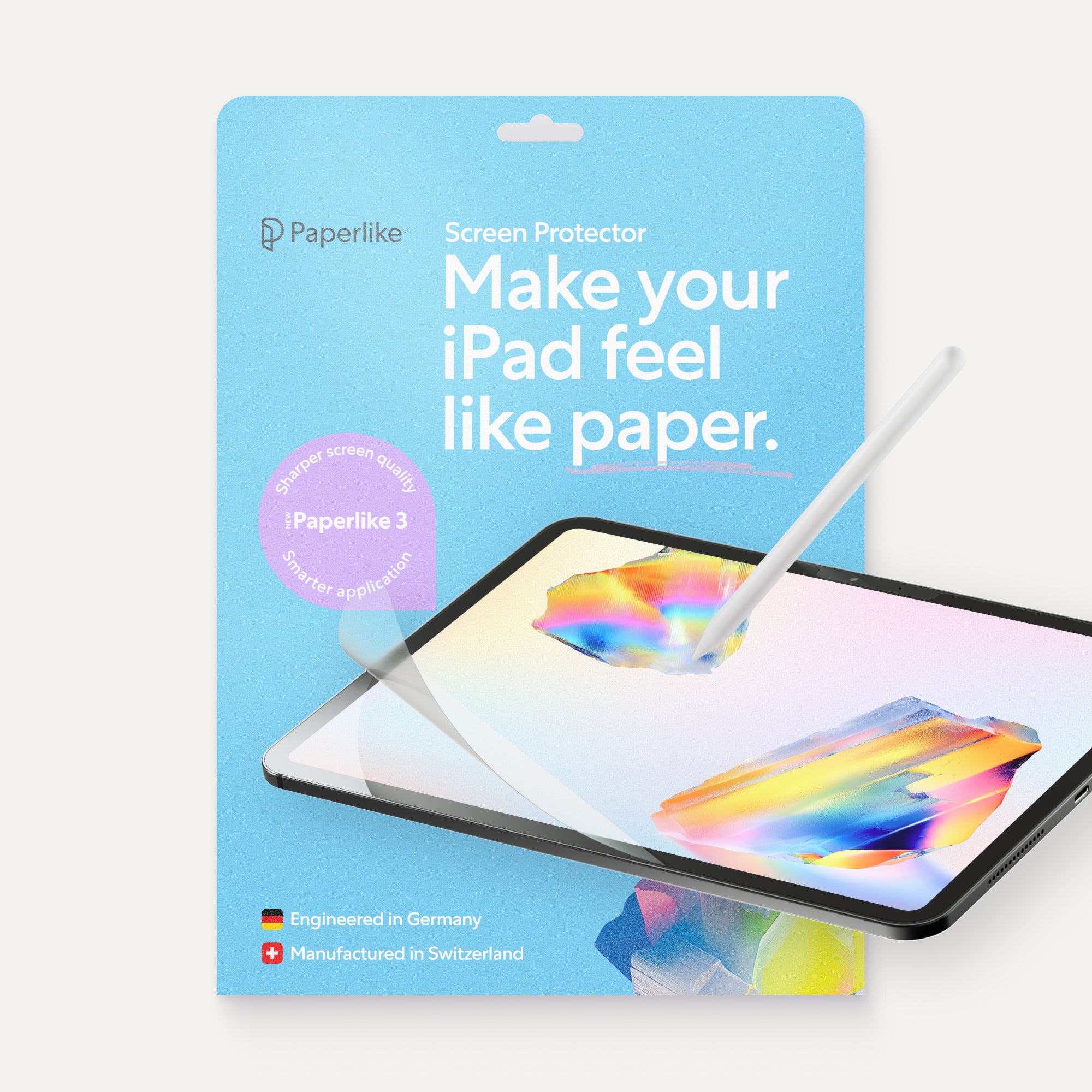
1. Paperlike™ Screen Protector
| Feature | Details |
| Price | $49.99 |
| What is it? | A screen protector that makes your iPad feel like paper. |
| Who’s it for? | Students who plan to handwrite notes on their iPad. |
| Where to get it | Paperlike |
Why they’ll love it
If you’ve ever tried to write on an iPad, you know that the Apple Pencil slips and slides across the screen. That can make it hard to take neat notes, not to mention cause your hand to cramp as you try to control your strokes.
The Paperlike Screen Protector brings back the natural feel of writing on paper by adding just the right amount of friction and resistance to the screen. It makes it easier to get smooth and precise lines without having to grip the Pencil like it’s about to slide out of your hand.
And with our Butterfly Application System, installation is quick and stress-free.

2. Anker 313 Power Bank
| Feature | Details |
| Price | $25.99 |
| What is it? | A portable battery that you can use to charge your devices on the go. |
| Who’s it for? | Students who need to keep their devices charged on the go. |
| Where to get it | Anker |
Why they’ll love it
Depending on how many classes your student has and how long they are, if they’re using their iPad to take notes, they might run out of battery before the end of the day. Especially if they forgot to charge it the night before (we’ve all been there).
A power bank solves that problem. The Anker 313 is slim and lightweight, making it easy to stash in their backpack and take with them. It’s compatible with any type of USB-charged device, so it’ll work for the iPad, iPhone, AirPods, and more.
Not only that, but it has enough power to fully charge the iPad, no matter the model, and it does it quickly.

3. USB Charging Table Lamp
| Feature | Details |
| Price | $67.99 |
| What is it? | A lamp with USB charging ports, a 3-prong outlet, and device slots. |
| Who’s it for? | Students who want a lamp that can store and charge their devices. |
| Where to get it | Newegg |
Why they’ll love it
Most college students need to maximize their space, whether they’re in a dorm room or an apartment. That’s what’s so great about this lamp.
It gives them a light to read by, a place to charge their iPad, phone, and whatever else they might need to plug in, plus it even has device slots to store everything at night. This way, they can have everything they need within reach.
Even better, it keeps their nightstand looking neat instead of cluttered.

4. HoverBar Duo Flexible Arm for iPad
| Feature | Details |
| Price | $79.99 |
| What is it? | An iPad or iPhone stand with a flexible arm so you can adjust the position. |
| Who’s it for? | Students who need a hands-free iPad stand. |
| Where to get it | Twelve South |
Why they’ll love it
We all know that students won’t only be using their iPad for notes. Most likely, they’ll also be scrolling through social media, watching YouTube videos, or streaming Netflix.
If that’s the case, they’re going to want some sort of stand so they’re not always looking down at their screen. The HoverBar Duo is great because it allows them to adjust the height, position, and angle of their iPad to whatever is most comfortable for them.
Plus, it’s compatible with all iPad models, and even works with most iPhone models, too!

5. Bluetooth Headphones
| Feature | Details |
| Price | Varies |
| What is it? | Bluetooth headphones to connect to the iPad and other devices. |
| Who’s it for? | Students who want or need to listen to something on their iPad in public. |
| Where to get it | Online or in stores. |
Why they’ll love it
The great thing about an iPad is its versatility and portability. But a lot of the iPad’s functions include audio, whether that’s listening to an audio recording of a lecture or watching a video.
Bluetooth headphones allow students to do that, even when they’re on campus, without disrupting others. There are hundreds of options available, from super cheap to super expensive. Whatever set you choose, just make sure they’re Bluetooth and that they’re wireless, so they’re easy for your student to carry around.
We’d recommend Apple AirPods 5 or Beats Solo 4 as premium options, or something like the JBL Tune for a pair that works well and is more affordable.

6. Camp Snap 2 (Screen-Free Digital Camera)
| Feature | Details |
| Price | $69.99 |
| What is it? | A point-and-shoot camera that lets you transfer photos to your computer or phone. |
| Who’s it for? | Students who love the analog feel of taking photos. |
| Where to get it | Camp Snap Photo |
Why they’ll love it
What better way to capture all those college memories than a point-and-shoot camera? The Camp Snap 2 gives students the best of both worlds, with a screen-free camera experience AND the ability to transfer digital photos to the computer or a phone.
It includes six interchangeable filters built into the device and can take up to 500 photos with one charge. Its slim, lightweight design makes it easy to carry in a backpack, purse, or even a pocket.
It also comes with a MicroSD card that holds up to 2,000 photos and a USB-C to USB-C charging and transfer cable.

7. Unique Desk Mats
| Feature | Details |
| Price | $35 |
| What is it? | A computer desk mat that’s both functional and fun. |
| Who’s it for? | Students who want to add a little personality to their desk. |
| Where to get it | Society6 |
Why they’ll love it
When you don’t have much space, it’s nice to make whatever you do have feel like home. A cute computer map can brighten up the desk space and give it a little personality.
Society6 offers a wide variety of patterns and prints, so you’re sure to find something your college student would love.
These aren’t just about aesthetics, either. A desk mat also acts as a protective covering and doubles as a mouse pad. I have one, and I love that my wrist isn’t always rubbing against the edge of a mouse pad and that I’m not limited to such a small area when I’m moving my mouse around.

8. Paperlike™ Bumper Case
| Feature | Details |
| Price | $54.99 |
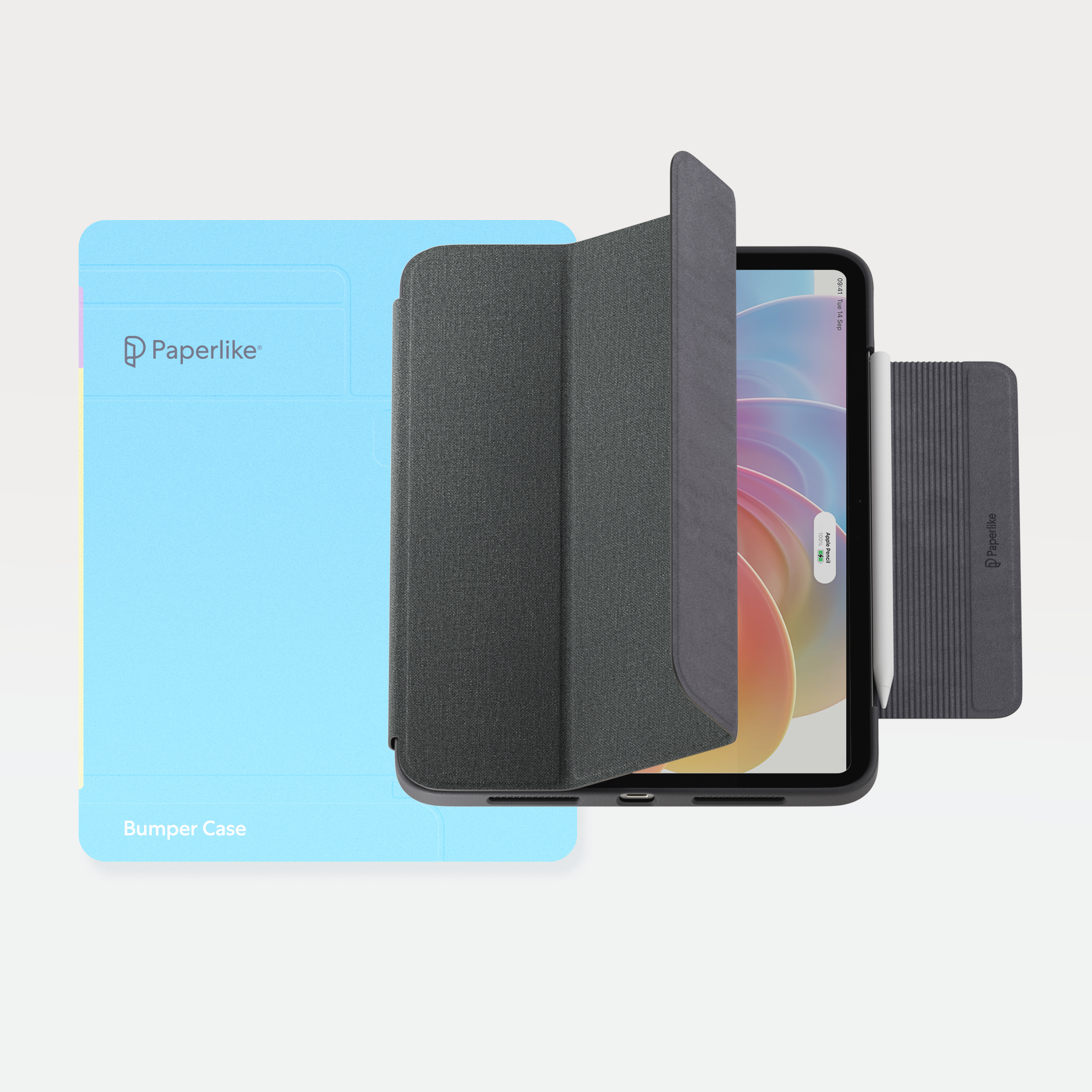
| What is it? | A case that gives the iPad the look and feel of a premium notebook. |
| Who’s it for? | Students who need a case that looks great and protects their iPad. |
| Where to get it | Paperlike |
Why they’ll love it
Carrying an iPad from class to class is convenient, but it also creates opportunities for accidents. The Paperlike Bumper Case adds a rubber bumper around the edge of the iPad to keep it safe, and the cover prevents scratches and scuffs on the screen.
It’s made from a premium fabric that mimics the look and feel of a cloth-bound journal or notebook, giving it a nostalgic feel. It also props up the iPad at two different angles, depending on your student’s needs.
The magnetic flap keeps the Apple Pencil (2nd generation and Pro) in place, and all ports, buttons, and cameras are easily accessible.

9. Nillkin Foldable Bluetooth Keyboard
| Feature | Details |
| Price | $96.99 |
| What is it? | A full-size Bluetooth keyboard that folds to fit in a pocket. |
| Who’s it for? | Students who want a portable Bluetooth keyboard so they can work from anywhere. |
| Where to get it | Newegg |
Why they’ll love it
Sometimes it’s nice to type rather than handwrite everything. In that case, your student will need a Bluetooth keyboard to connect to their iPad.
There are a lot of options out there, but we like this one from Nillkin because it’s a full-size keyboard that folds up small enough to easily fit in a bag or even a larger pocket. It can connect to any tablet, smartphone, or PC with Bluetooth.
The keyboard also includes a number pad and touchpad, and it lasts up to two hours. It’s also easy to keep clean because it’s made of organic silicone.

10. mophie Loop AirTag Case
| Feature | Details |
| Price | $14.95(single); $49.95(4-pack) |
| What is it? | An AirTag case with a loop design for attaching to essentials. |
| Who’s it for? | Students who want to attach an AirTag to their backpack or other items. |
| Where to get it | Apple (single); Apple (4-pack) |
Why they’ll love it
College campuses are big, and classes aren’t always near each other. If your student is prone to leaving their stuff behind, an AirTag can help them find it. But an AirTag alone isn’t always enough if there’s no place to put it.
These cases from mophie have a loop design that makes it easy to attach to keys, bags, or other items. Whether you buy one or the 4-pack, you can choose from a couple of different color options.
Each one comes with different ID color bands, too, so it’s easy to identify which AirTag is which when looking at them.

11. JBL Go 5
| Feature | Details |
| Price | $39.95 |
| What is it? | An ultra-portable Bluetooth speaker. |
| Who’s it for? | Students who want a speaker they can use in their room or on the go. |
| Where to get it | JBL |
Why they’ll love it
This JBL speaker is pocket-sized, but that doesn’t mean the audio quality suffers. The sound is excellent for a speaker this size, and it’ll pair with any device with Bluetooth connectivity.
It’s dust-, water-, and drop-proof, so your student won’t have to worry about friends spilling on it at their first party. It lasts eight hours and can even make it up to 10 with Playtime Boost.
The JBL Go 5 also includes edge lighting to set the mood, and it can link up with a second JBL Go 5 or any JBL Auracast™-enabled speakers wirelessly for a more powerful sound.

12. Bluetooth Portable Printer
| Feature | Details |
| Price | $67.99 |
| What is it? | A thermal portable printer. |
| Who’s it for? | Students who need to print things from their iPad or other devices. |
| Where to get it | Newegg |
Why they’ll love it
Printers take up a lot of space, and these days, a lot of students can just submit their work online. That doesn’t mean that college students never need a printer, though.
That’s why this Bluetooth, thermal, portable printer is so great. It’s small enough to carry around, it doesn’t use any ink or toner, which saves money, and it connects to both mobile devices, like phones and tablets, and PC or Macs.
It’s compatible with multiple paper sizes and it can print seven pages per minute. It’s fast and it’s easy to set up and use, no matter where you are.

13. Paperlike™ Digital Planner
| Feature | Details |
| Price | $12.99 |
| What is it? | A digital planner. |
| Who’s it for? | Students who want to stay on top of their class assignments and tests. |
| Where to get it | Paperlike |
Why they’ll love it
College students have a lot to juggle, so staying on top of their schedule isn’t always easy. That’s where a digital planner comes in. It’s right on the iPad, so they can add in class assignments or upcoming test dates on the go.
The Paperlike Pro Planner includes monthly, weekly, and daily pages, and everything is hyperlinked for quick navigation. The minimalist design is perfect for students who just need to see what’s up next.
The coolest part is that once you buy this planner, you (or the giftee) have it for life. We update it every year, and you’ll automatically get an email where you can download the new one as soon as it’s released.

14. Long Distance Friendship Frame
| Feature | Details |
| Price | $279 |
| What is it? | A set of two digital picture frames that are paired. |
| Who’s it for? | Students who want to stay connected with family or friends. |
| Where to get it | Uncommon Goods |
Why they’ll love it
This one is kind of a gift for both of you! When you purchase two (or more) of these frames, you can pair them together. Anytime you tap one frame, the other will emit a soft glow and change colors to let the owner know you’re thinking about them.
It has more than 200 colors to choose from, and you can assign colors to different people, so you know who’s saying hi. The company that makes it also has a couple of lamps that are compatible, if you don’t want to use a picture frame.
Setup to the Wi-Fi, uploading photos with the companion app, and pairing the frames through Bluetooth is all simple and straightforward, too.

15. Paperlike™ Pencil Tips
| Feature | Details |
| Price | $19.99 |
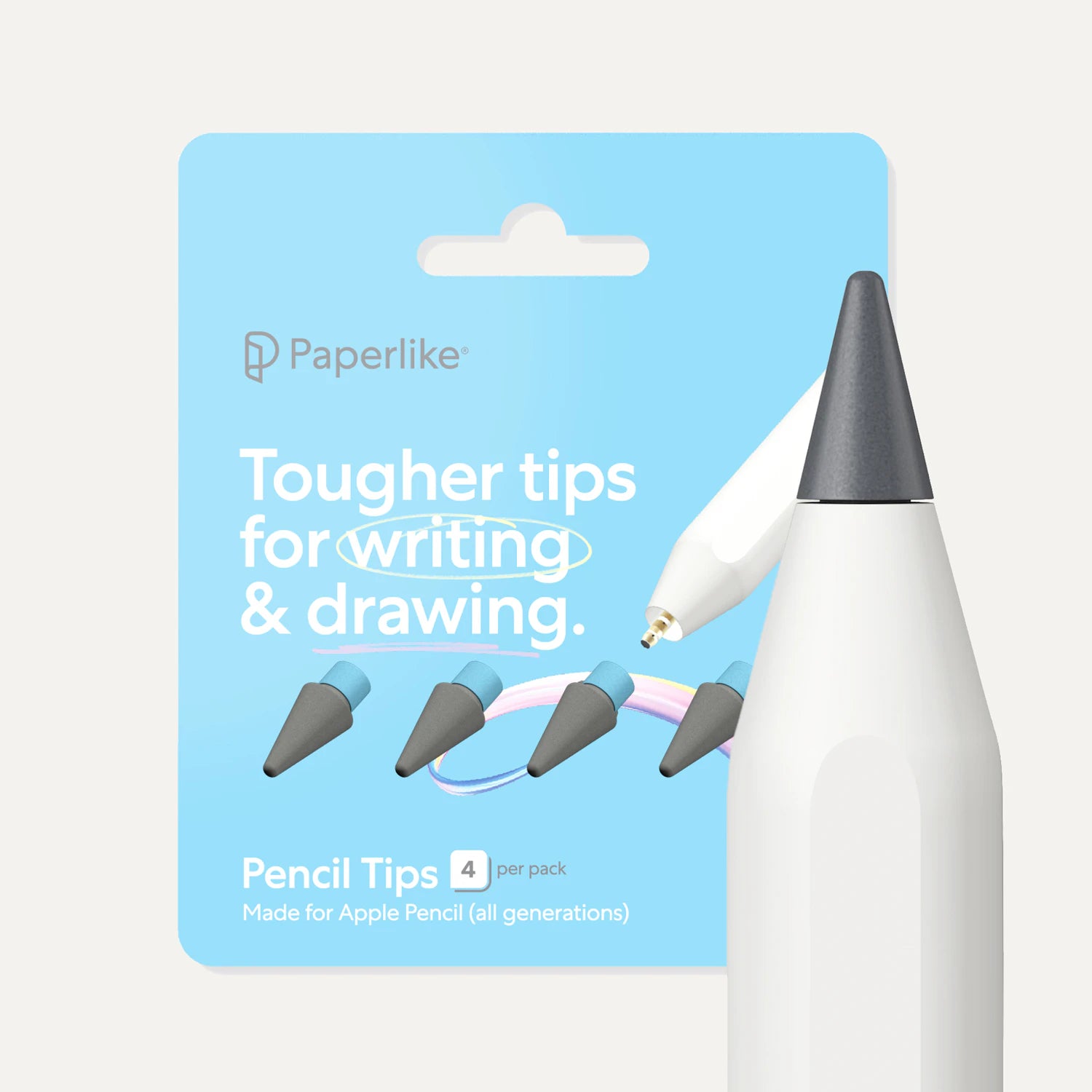
| What is it? | Replacement tips for the Apple Pencil. |
| Who’s it for? | Students who handwrite a lot on their iPad. |
| Where to get it | Paperlike |
Why they’ll love it
Writing with an Apple Pencil on an iPad takes a toll. Heavy use will slowly wear down the tip of the Apple Pencil. With the amount of notes college students take, it’s no wonder that they need to replace their tips fairly often.
Paperlike Pencil Tips come in a four-pack, and they’re extra durable, lasting up to 10 times longer than the original tip. Not only that, but they’re rough, increasing the friction for a more natural writing feel and better control.
They complement the Paperlike Screen Protector, enhancing its effect, so your student will get the true paper-feel when writing on their iPad.
Final thoughts
We hope you’ve found something on this list that’s the perfect gift for the college student in your life. And, who knows, maybe you’ve found something for you, too!
Frequently Asked Questions
What are the best tech gifts for college students?
A: The best tech gifts are the ones that students will actually use all the time. Things like headphones, an iPad case or stand, keyboards, and other tools that make taking notes and studying easier.
What do college students need the most?
A: Useful tech that makes schoolwork easier, like a Paperlike Screen Protector for note-taking on the iPad or a portable power bank that they can use to keep their devices charged when they’re on the go.
What's a thoughtful, inexpensive student gift?
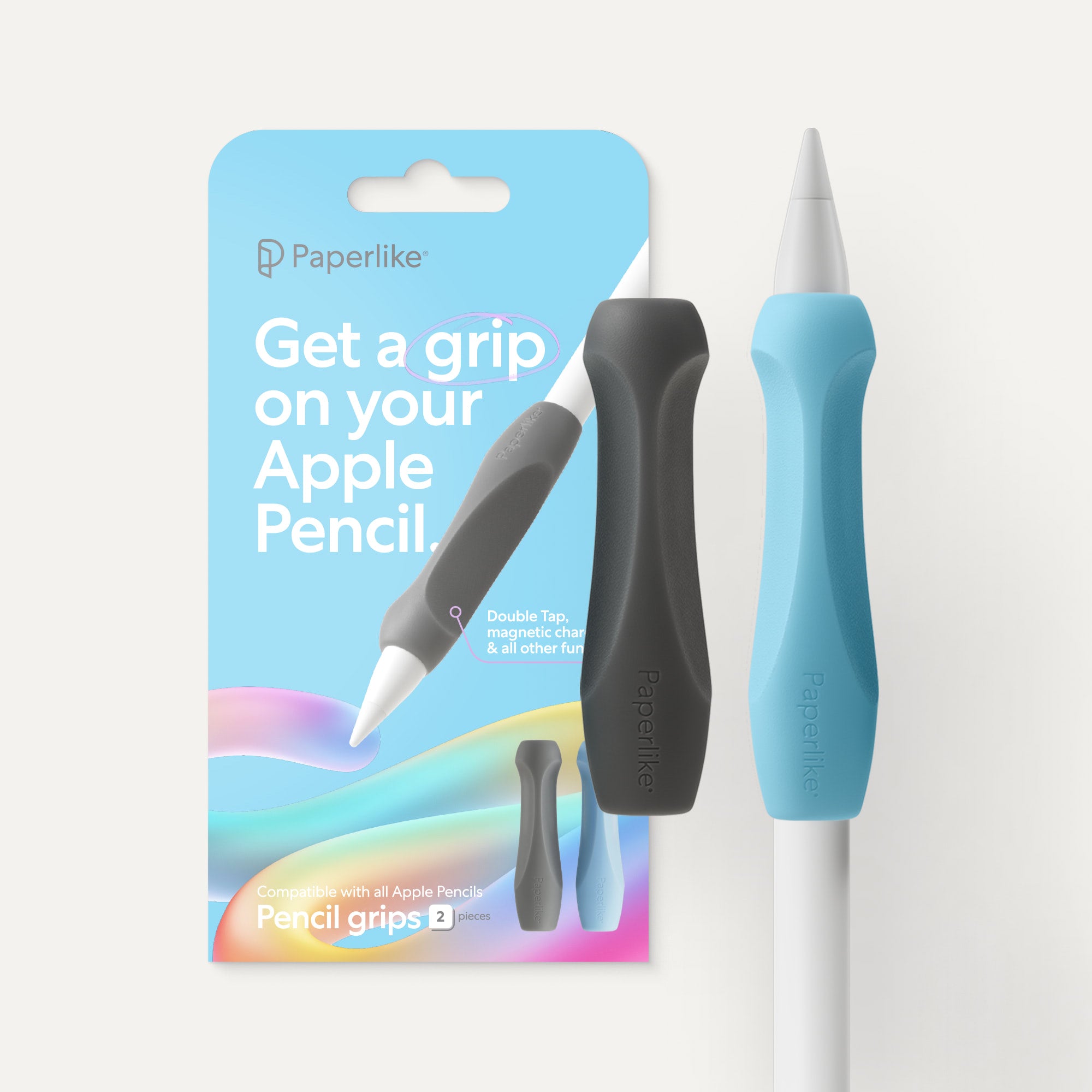
A: A small upgrade to something they already own is the perfect, inexpensive gift. Think things like Paperlike Pencil Tips or Grips for the Apple Pencil.
What accessories should I get for a student who takes notes on an iPad?
A: A Paperlike Screen Protector makes all the difference for taking notes on the iPad. It turns the slippery screen into a surface that feels more like writing on paper. Check out our other iPad accessories for more options on how to make note-taking on the iPad feel more comfortable and natural.