Stefan Kunz's 5 Favorite Brushes


There are literally thousands of Procreate brushes out there. It's great to have so many options, but that can also be overwhelming to any professional artist.

But what if there were 5 amazing brushes that you could use for 80% of your lettering projects?

Enter your email address on the next screen to access the Paperlike Library.

What makes it special?

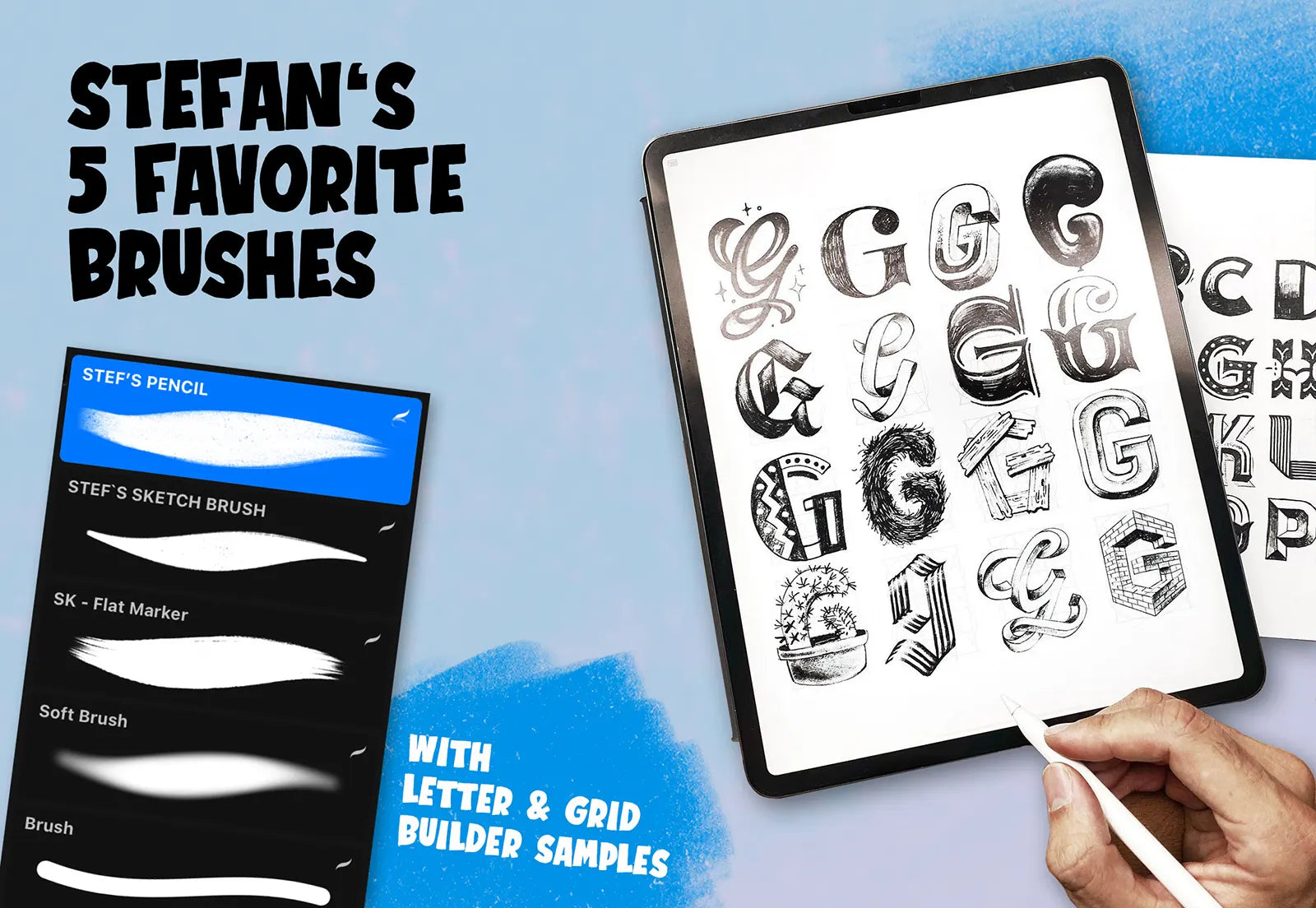
To answer that question, we've teamed up with renowned lettering artist Stefan Kunz (@stefankunz) to provide Stefan's 5 Favorite Brushes.

This set includes five brushes that Stefan uses for most of his projects. Now, you can add them to your shortlist of go-to brushes when it's time to get to work.

Download the Free Brush Set from the Paperlike Library and put it to work on your next lettering project.

About Stefan Kunz

Stefan Kunz is a letterer, designer, and illustrator who brings his imagination to life on paper (and beyond). He's always been very passionate about graphic design and typography, but the inflection point came once he began combining two of his favorite passions – drawing type and photography.

He's collaborated with clients such as Asics, Adobe, Apple, Coca-Cola, Bombay Sapphire, Nokia, Hallmark, Hillsong, Skillshare, Microsoft.

He's also the author of his own published books, “The Art of Lettering” and “You Are God’s Masterpiece”.

How to get started

Getting up and running with this brush set is quick, easy, and free. Here's how:

  1. Click “Get your Free Digital Product” and use your email address to access the Paperlike Library.
  2. Download your Brush Set to your iPad.
  3. Open Procreate and open a new canvas.
  4. Click on the brushes icon and either select or create a new folder with the + icon.
  5. Tap the + button above the list of brushes and select import.
  6. Using the iPad file interface, find and select the brush set.
  7. You’re all done!

We want to see what you create!  Be sure to follow and tag @paperlike on Instagram and show us your incredible art.

Access the Paperlike Library to get your Free Brushes


Download your Free Digital Product, then discover more free resources in the Paperlike Library to help you create, stay organized, and get more out of your iPad.

Enter your email address on the next screen to access the Paperlike Library.